Oversizing a column in a table – finding varchar(max) and text in MsSQL

It is very commmon when a table have one or more to wide columns.
Sometimes developers choose not supported columns, for example, text type in MS SQL database.
I always looking for text, ntext, varchar(max) and nvarchar(max) :

After it, I check the (n)varchar and (n)char columns.

I am finding the longest string.

Index fragmentation with table row count and index creation and modification date

You can often check the index defragmentation. It is useful if you start checking with the biggest table, because the biggest effect is there.
I like to check the indexes with the creation and modification date. If you rebuild the index your index modification date will be updated.

If you want to see for all database you can replace the

  • DB_ID()
  • with

  • NULL
  • in the script.

    Python and MS SQL connection

    Install ODBC driver for MS SQL>
    pip install pyodbc
    Downloading pyodbc-4.0.30-cp39-cp39-win_amd64.whl (67 kB)
    |████████████████████████████████| 67 kB 745 kB/s
    Installing collected packages: pyodbc
    Successfully installed pyodbc-4.0.30

    Python query:

    Download SQL PASS content

    As announced on December 17, 2020, PASS saddened to share that, due to the impact of COVID-19, PASS is ceasing all regular operations, effective January 15, 2021. PASS will maintain access for members until January 15th. Please read the announcement from the PASS Board for more information.
    The PASS encourage you to take full advantage of any access that you have to PASS content between now and January 15, 2021.

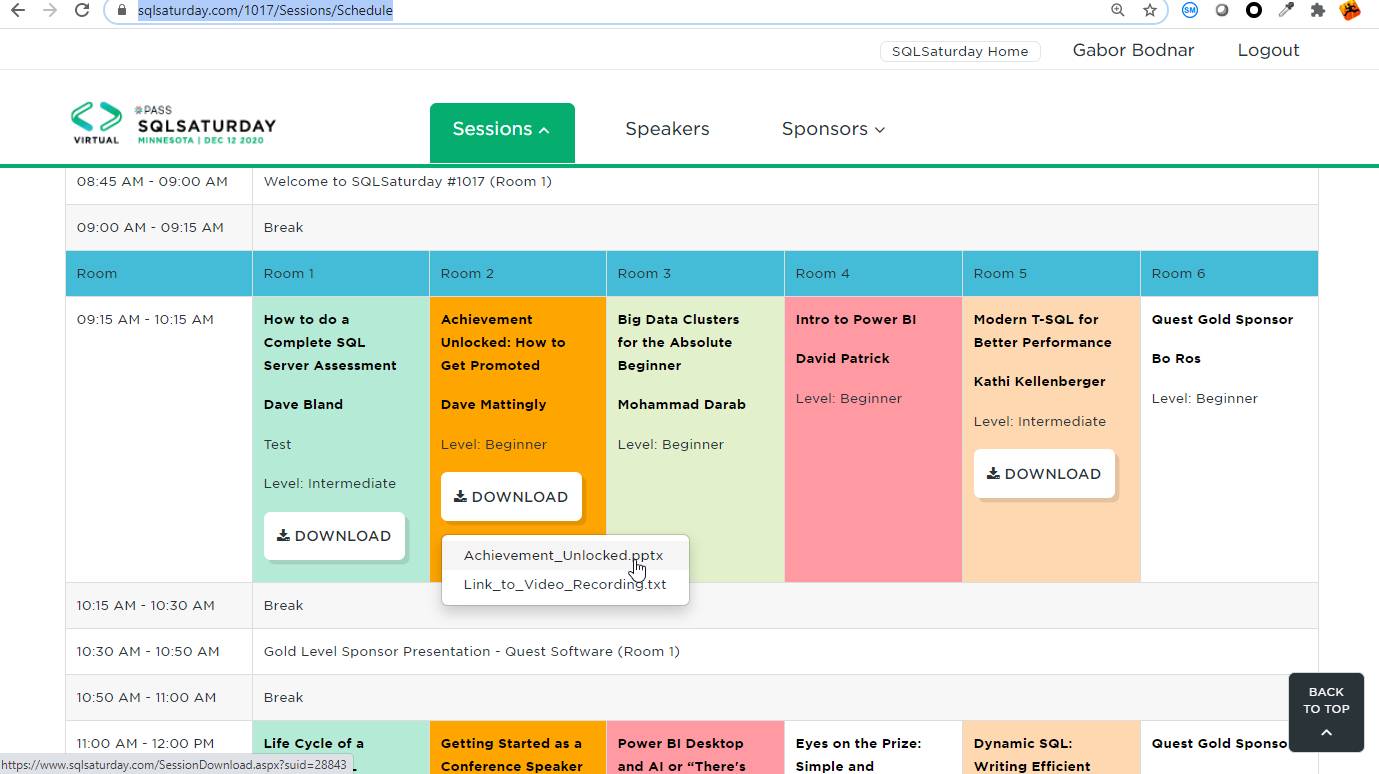
    You can download them in the SQLSatruday website by manually:

    sqlsaturday SQL Pass
    SQLSsaturday – SQL Pass  web page presentation download

    Or you can download by script.
    I created a simple script in python, which can download the files which is not required authentication. Why python? I started to study it two month ago, so I must have a real practice.

    The scripts create a subfolder for every 1000 files, if it stops (I had problem with two special filename, you can rewrite the hinumber and lownumber and continue)

    Be aware!
    So the SQL Pass is a very large community. If you want to download around 3500 pdf ,  4000 ppt and 8000 zip files with a lot of stuff, you need at least 50 GB disk space.
    I am sure this big community will survive in a new form.

    Enjoy the knowledge of SQL Server community!

    Install wget in Python

    You don’t need to downloag and install wget.
    Instead of it, you run the following in cmd (or in python):

    VMWare CPU Limit effect on VM computing and disk speed – CPU stolen time

    Symptoms:
    Customer complaining about slow SQL server and event application timeout.
    Hihg CPU usage and slow disk with bad disk time response.
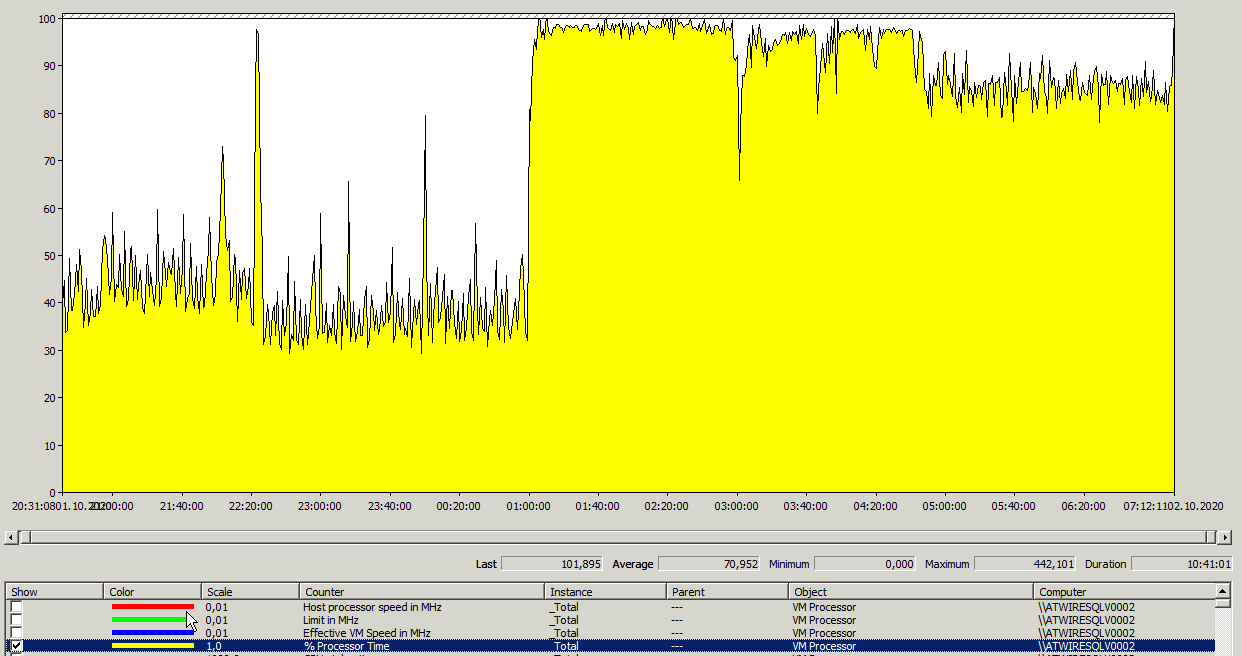
    Let’s check the the 4 CPU core:
    Hihg CPU usage at night

    At first glance, it seemed like a heavily used server.
    The lack of server resources caused timeouts for the applications.

    I suspect VMWare virtualization cause performance issue:

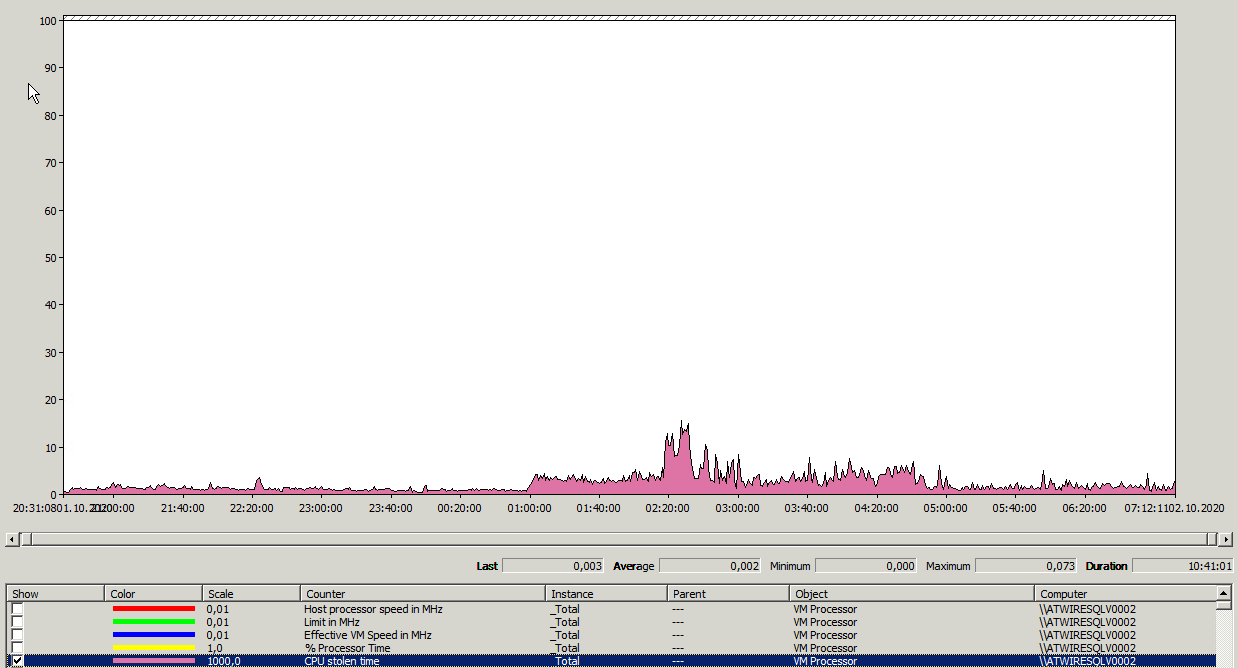
    VMWare Virtualization CPU Stolen time
    CPU Stolen time is high

    Thanks for the teamwork, we found the settings which caused a poor performance: Continue reading “VMWare CPU Limit effect on VM computing and disk speed – CPU stolen time”

    DBATools – powershell

    Taking notes – some example:

    Download and Install to my computer:

    https://dbatools.io/download/

    ­

    Set-PSRepository -Name PSGallery -InstallationPolicy Trusted

    Install-Module dbatools

    if necessary:
    update-module dbatools

    OFFLINE:

    Copy this directory to offline server:
    C:\Program Files\WindowsPowerShell\Modules\dbatools

    Set-Location ‘C:\Program Files\WindowsPowerShell\Modules\dbatools’ ##.\install.ps1  ## with internet access
    Get-ChildItem -Recurse | Unblock-File

    Continue reading “DBATools – powershell”

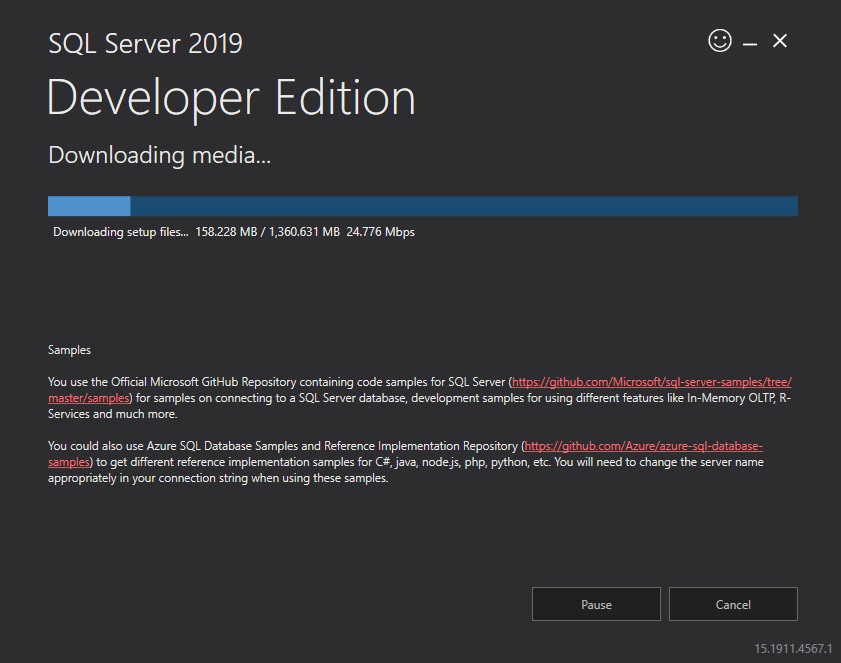
    Install SQL Server 2019 Developer Edition

    Install SQL Server 2019 Developer Edition – download ISO image and install it offline.

    You can download the installer file from:

    SQL Developer Edition
    SQL Developer Edition

    Start the downloaded SQL2019-SSEI-Dev.exe  in an administrator command prompt with the following parameter:

    So you can download the ISO image:

    SQL Server Developer Edition ISO image download
    SQL Server Developer Edition ISO image download


    Test your MAXDOP – SQL Server max degree of parallelism

    The default value of your SQL server is MAXDOP=0. It means there is no limit for parallelism. Your query can use all of your CPU core.

    Scenario:
    If your SQL Server is not used, than your CPU utilization is low,
    your query can use all of the server’s resources.
    I run a cross join query in a table which has 40.000 rows.
    The server has 8 core.
    I set hint for the query to simulate the MAXDOP server setting.

    The query and the result:

    So if your query use only 1 thread it run longer ( in the example 232 seconds), if it use 8 thread it run much more quicker ( 33 seconds).
    So 232/33 ~= 7 . Ok the speed is not 8x , but almost 8. The operating system and other processes use system resources.

    Should we use the maxdop value without limit? In the real life a lot of queries run at the same time, so if your query get all of the resource the other waiting the resources. So you try to figure out what is ideal value?
    If you have no idea, or don’t have experience with the new databases , you can set the recommended value:
    https://support.microsoft.com/en-us/help/2806535/recommendations-and-guidelines-for-the-max-degree-of-parallelism-confi

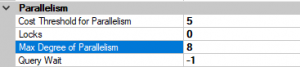
    Server Propertis - MAXDOP
    Server Propertis – MAXDOP

    You can reduce the parallelism in your server with increasing the Cost Threshold for Parallelims.

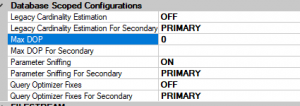
    You can set it for individually for every database:

    Database settings
    Database settings

    Max DOP for you database and Max DOP For Secondary for your Always ON AG secondary replicas.

    How to Check Index Fragmentation and Partitioned Table Index Fragmentation

    I use two script. The firs one is for general purpose and run faster, the second one is good for partitioned table and get many details about partitioned index and table.

    Detailed query for partitioned table: